
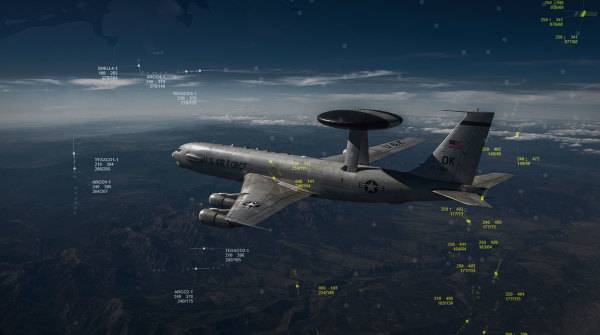
DCS Airspace introduces Auto PICTURE and PICTURE Trainer for automatic Traditional PICTURE and Core Information generation, with PICTURE Areas, Track Lock, and dedicated AWACS/GCI operator training capabilities.
Auto PICTURE
DCS Airspace now includes Auto PICTURE, a system for automatically generating Traditional PICTUREs and Core Information from live tactical tracks.
The system is designed to assist operators in building a tactical picture from the contacts available on the DCS Airspace display. Contacts can be filtered using the configured maximum range or, when a PICTURE Area is defined for the selected track, by the geographic area specified by the operator. When a PICTURE Area is present, it takes priority over the maximum range setting.
PICTURE Areas can therefore be used to define exactly which portion of the tactical environment should be considered when generating a PICTURE. Each track's configured PICTURE Area is also persisted in the user's settings.
AWACS and GCI Operator Training
The Auto PICTURE can also be used for training virtual AWACS and GCI operators, providing a practical training environment based on live DCS World tactical data.
Operators can practice requesting Traditional PICTUREs and Core Information, controlling the geographic area used for PICTURE generation, and learning how contacts are represented in standard tactical picture formats. This makes the system useful for both regular operations and structured AWACS/GCI operator training, allowing virtual squadrons to practice picture-building procedures directly within the same tactical environment used during missions.
Auto PICTURE is enabled by default on DCS Airspace servers. Server administrators can disable the feature through the server settings if they do not want to allow Auto PICTURE functionality on their server.
PICTURE Keyboard Shortcuts
PICTURE generation and PICTURE Area management can be performed directly from the tactical display:
- P — Request a Traditional PICTURE
- Ctrl + P — Request Core Information
- Alt + P — Open PICTURE settings
- Hold Space + Left Mouse Button — Draw a PICTURE Area for the selected track
- Space + C — Delete the selected track's PICTURE Area
- Ctrl + Space + C — Delete all track PICTURE Areas
These shortcuts allow operators to work with PICTURE generation and geographic filtering without repeatedly interacting with the interface.
Track Lock
DCS Airspace also adds Track Lock, allowing the tactical map to remain centered on a selected live unit.
When Track Lock is active, the map follows the selected aircraft or helicopter as it moves, keeping the unit continuously visible on the tactical display.
Interface and Workflow Improvements
The left-side menu has been reworked and reorganized, and the track label font size has been increased for improved readability.
In Scheduled/Controlled Panels, the selection button no longer selects the unit's flight plan. If the unit is already present on the map, the button instead centers the tactical display on that unit.
Tracks identified as helicopters now also display an H indicator.
These changes further develop DCS Airspace as a real-time ATC, AWACS, and GCI software client for DCS World, while Auto PICTURE and PICTURE Trainer add automated tactical picture generation, geographic PICTURE filtering, and a dedicated capability for training virtual AWACS and GCI operators.
Read the Changelog.